
 By John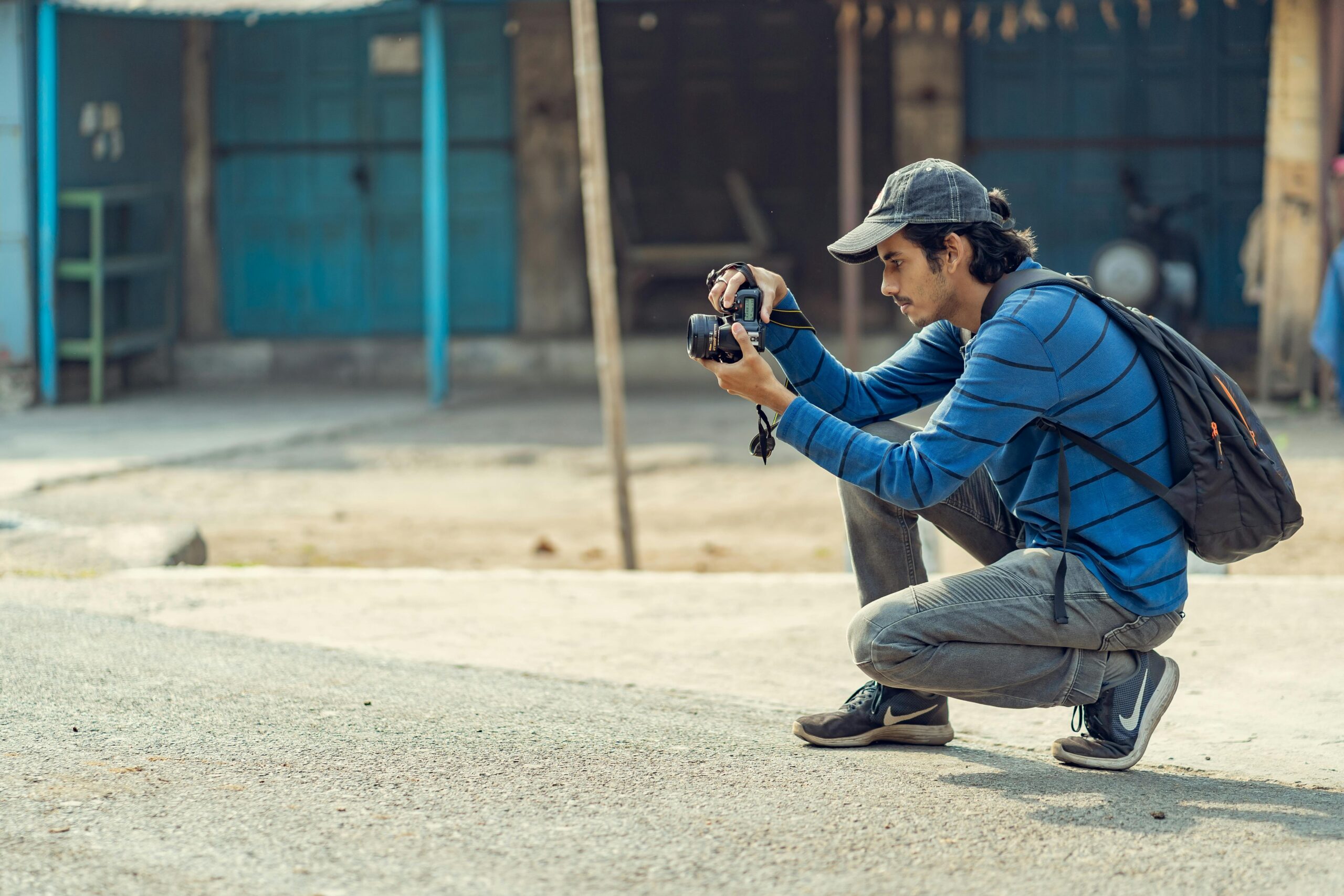
From where I stand, the idea that photographers constantly travel isn’t just a stereotype—it’s often the backbone of how they work, especially when it comes to capturing compelling images of diverse landscapes, vibrant cultures, and ever-changing cities. In my experience, the journey is rarely glamorous; collaborations with tourism boards, features in magazines, and campaigns for commercial brands sound exciting, but they demand the adaptability of freelancers and the visibility of travel influencers, often tied to a strict assignment that requires careful balancing between pure photography and modern content creation. Some even take it further by leading workshops, turning professional travel photography into a shared craft, though it all rests on intensive planning, meticulous equipment management, and relentless shooting during unpredictable early-morning and exhausting late-night hours.
Travel Photographers Workflow – At Home and on the Road
For any photographer, whether working from a quiet desk or stepping onto a new destination, a well-structured workflow in digital photography becomes not just helpful but almost imperative, because the real craft doesn’t stop at the moment you land and press the shutter—it continues in how you develop, modify, and refine different aspects of your shots while staying organized enough to save time in the long term and protect valuable digital files from chaos or loss; I’ve learned over the years that to truly follow a complete workflow, you need discipline both at home and on the road, treating each stage as essential, from backing up cards in a hotel room to fine-tuning edits later, ensuring nothing from that fleeting captured moment slips through the cracks.
Get organized
I’ve come to realize that staying organized as a traveling photographer isn’t so different from thinking like a survival specialist—especially when you land in a new city, drop your bags in a hotel room, and feel the pressure of a busy schedule closing in; instead of rushing heading out, I’ve learned to stop for a few minutes, almost like you would on a hike if you were lost in the wilderness, take a breath, sit down, and map things out, because the best advice I can give is simple: get a plan, make a clear list, and move with intention rather than chaos, since that small pause often saves an entire shoot from falling apart.
- unpack: The first thing I always do after arrival is unpack my camera equipment and lay everything out on a clean surface, because seeing it all at once helps me reset mentally after travel and get back into work mode without missing anything important.
- shot list: Before I even think about heading outside, I review my shot list to stay prepared, making sure I know what I want to capture during the day and even sketch ideas for the next day, so when I head out, I’m not wandering aimlessly.
- pack: I carefully pack my day bag with essentials like water, sun cream, lunch, a guide book, and small things like plasters or bandaids, along with my phone for quick on the go information and handling emergencies.
- plan: I always plan my route before I leave the hotel, especially if it’s my first time in a place, because losing even a couple of hours figuring things out can make the toughest difference in unfamiliar surroundings.
- lock: Safety is non-negotiable, so I lock away valuables and important documents in the room safe, keeping the room clutter-free and stress-free before stepping out.
- pack away: At the end of prep, I pack away spare gear neatly, double-check charged batteries, ensure every formatted and empty memory card is ready, snap on the lens cap, and walk out fully ready to shoot.
Have a routine in the evenings
No matter the time of year, I make it a rule to finish the day with a consistent system, whether I’m chasing late evening light, lingering over sunsets, or shooting deep into the night, because once I’m back in my room, the real discipline begins—I immediately back up everything from my memory cards onto multiple passport size hard drives, then open Lightroom to copy and review images, applying an Import Preset that embeds my copyright information, ensuring every file is properly saved and backed up before I even think about rest; only after that do I carefully pack everything again, keeping files on separate hard drives so nothing is left to chance.
- drive: After a long day, whether I’ve been out on foot or behind the wheel on a remote drive, I treat the evening as a reset point, mentally reviewing what worked and what didn’t while transitioning back indoors.
- room safe: The moment I step into my space, I secure critical items in the room safe, keeping backups and essentials protected rather than leaving anything exposed or easy to grab.
- suitcase: I avoid dumping everything loosely and instead organize gear back into my suitcase, creating a system that makes the next day smoother and less rushed.
- obscure: When extra caution is needed, I’ll stash certain items in more obscure spots, especially in unfamiliar places where routines can’t always be trusted.
- car: If I’ve been using a car, I never leave visible gear behind overnight, always clearing it out to prevent unnecessary risk.
- hidden: Some backups stay hidden in separate places, adding another layer of safety that has saved me more than once on the road.
- day bag: I repack my day bag carefully so it’s ready to carry again without hesitation, making sure everything I’ll need is already in place.
One habit I never compromise on during a trip is to backup my work before anything else, because experience has taught me to ensure my photos exist in at least three different places—typically split between my camera bag, a drive in the hotel room, and another copy stored separately, never left in the car where it could easily be stolen; it might feel excessive in the moment, but knowing everything is properly backed-up lets me relax and focus on the next shoot without that lingering anxiety.
Locations, descriptions and check photos
One of the most underrated parts of my routine happens after the shoot, when I sit down with Lightroom and start organizing location details alongside thoughtful descriptions, because when the photos are still fresh in my mind, that contextual information becomes essential not just for memory but for future planning and even selling images to a publication, an image library, or a stock agency; I often flick through each frame to ensure there’s no technical malfunction, then slow down to analyze the shots with a careful inspection of the scene, noticing how the point of interest, foreground, and light in a certain direction worked together, since this habit of constant reviewing and checking helps me understand what I managed to capture and how I could create a better image next time, turning every shoot into a lesson rather than just a collection of files.
Plan your day
I’ve learned that making the most of any day as a traveling photographer comes down to how intentionally you handle your time, because every window to shoot is premium and surprisingly limited, so before even going to bed, I take a few quiet minutes to plan the next day, mapping out when and where I’ll shoot again, since this kind of planning ensures I have enough structure to stay focused while still flexible, ultimately making it essential to maximize both the daylight hours and the evening opportunities without feeling rushed or unprepared.
- alarm: I always set an alarm for the next morning, because getting ahead of the light is often the difference between an average frame and something memorable.
- shot list: Before sleeping, I revisit my shot list and make small amends if necessary, adjusting ideas based on how the previous day unfolded.
- itinerary: A flexible itinerary keeps me grounded, especially when I’m saving addresses into my GPS unit to avoid wasting time while driving between locations.
- packing: My packing routine is deliberate—I reset my camera bag with fresh batteries, spare memory cards, and double-check every camera setting so nothing slows me down later.
- plugging in: I make a habit of plugging in every device to charge, especially the batteries I’ve used, ensuring everything is ready without surprises.
- lay out: Finally, I lay out the clothes I’ll wear, removing even the smallest decision from the morning so I can focus entirely on getting out and shooting.
Get ready to head home
Before leaving, I always take a calm moment the night before to plan the final steps of the day, because experience has taught me that rushing at this stage is when mistakes happen, especially when dealing with expensive camera equipment and data that lives across multiple hard drives; I make a habit of carefully checking that everything is packed, starting with my camera bag, then moving to my laptop bag, and finally the suitcase, making sure each item is stored in separate places so nothing is missed or overloaded, and this simple routine not only
avoids a last-minute rush but also ensures I leave with peace of mind, knowing everything is secured and ready for the journey home.
Transfer photos
After I get back home from a long shoot, the first thing I focus on is safely handling my photos, because I’ve learned the hard way that relying on a single main storage space is risky when dealing with hard drives, potential accidents, break-ins, or sudden malfunctions; so I begin the transfer process by connecting my external hard drives and making sure everything is ready to save and back up properly, while also syncing a secure cloud storage solution like Blackblaze, which for me has become the most reliable option despite its price, especially when protecting large collections of photographs.
Once everything is connected, I carefully plug my passport size hard drives into my iMac, then start to copy all images into Lightroom, organizing everything inside the main hard drive using a clear folder structure based on destinations and country, breaking it down further into sub-folders for specific locations—for example, a shoot at Borough Market, London, England gets its own London sub-folder and even a Borough Market sub-folder, making it easier to locate anything later when needed.
I always ensure files are properly transferred to a second main hard drive as an extra safety layer, then I back up Lightroom catalogs regularly so nothing gets lost over a month or trip, often checking that images weekly are frequently synced with cloud storage running in the background to automatically save all new files; this system keeps every machine aligned and ensures I can return to my work knowing everything is secure, organized, and recoverable whenever needed.
Editing process
When I arrive back from a shoot and feel ready to start editing photos, I treat the whole process as something that has been refined over years, not rushed, because I’ve learned that there is no single right way that fits everyone; instead, the important thing to remember is that you must find your own method while working through every time in a way that works best for you, whether that means strict culling steps, slow color grading, or quick adjustments that get amended and tweaked repeatedly until the image feels right, and in my experience the most sustainable mindset is simply accepting that there isn’t one perfect way to do it, but rather my way, your way, and a flexible system that can always be improved as long as it feels right for you.
- My workflow always begins with the first edit, the first step where I go through every frame and delete obvious mistakes, including blurred photos and unexpected accidental shots collected during fast-moving travel moments. Years on the road taught me that discipline at this stage saves hours later, because cleaning distractions early keeps the creative mindset focused.
- The second edit becomes the next step, where I begin marking selected photos I truly want to work on. Using the flag option inside Lightroom, I carefully mark photos that stand out through strong composition or balanced lighting—images I naturally prefer because they reflect how I experienced the destination rather than just documenting it.
- I then check selected photos before I fully begin working on the chosen photos, making sure I make sure I don’t waste time on files that cannot be used. Anything not sharp is removed after I review photos at 100%, also known as 1:1 in LR, where I immediately deselect images affected by camera shake, ensuring only technically solid work moves forward.
- Finally, I begin post-production, reaching the point where only a handful of photos remain—the ones I truly like, already sharp and correctly focused. I aim to get photos correct at the time of taking picture so I can keep post-production minimum, following consistent steps as I go through adjustments in Lightroom for each photo, refining travel memories without over-editing their authenticity.
- After returning from long journeys, every image enters my additional post-production work stage where careful retouching begins inside Adobe Photoshop. Once adjustments feel finished, I import back into Lightroom, often using a right click on the image and selecting Edit in Photoshop before I save the new version that becomes automatically imported into LR. I rarely sharpen images, since many clients I work with prefer handling output themselves, but when required I rely on the High Pass sharpening filter option in Adobe Photoshop for subtle refinement.
- My selection process starts when images ready appear after travel sorting. Using the star option and ratings in Lightroom, I go through each frame to edit carefully—assigning one star, then mark the better ones with two stars, repeating the repeat process until a true selection of photos remains, finally marked with five stars that represent storytelling moments worth delivering.
- Before delivery, a strict final check happens. I export photos only after I check each image one last time at 100% to make sure nothing is overlooked and no detail has been missed anything. Sending incomplete files feels un-professional, so I never send images to clients or image editors that could be rejected for being not in focus. I also add specific details like captions, keywords, and metadata to maintain professional standards.
- When export photos begins, the images ready stage means files are sent through export settings matching the format required. Over time, I have set up specific presets in Lightroom for various clients I work with, allowing me to simply click the relevant one, where all settings become automatically set up without interrupting creative flow.
- The final admin phase starts once images live reach the relevant client. I apply the color tagging option in Lightroom to mark files accordingly; for example, I work with several image libraries and stock agencies, assigning a different color to each one so I instantly recognize which images belong to which library at a glance. Over years, you develop a personal workflow where consistent steps become essential to the entire process you go through, ensuring images backed-up both on the road and at home, continuously checking each image at the final stage before sending to clients or sharing online—a discipline that is a must for everyone. Now it’s your turn to evaluate your workflow, gather specific tips, and share ideas through comments.